

Device Care, Refurbishment and Data Recovery
Laptops, desktops, servers, printers and network gear repaired and kept in service, data recovered when it matters, and old equipment retired safely.
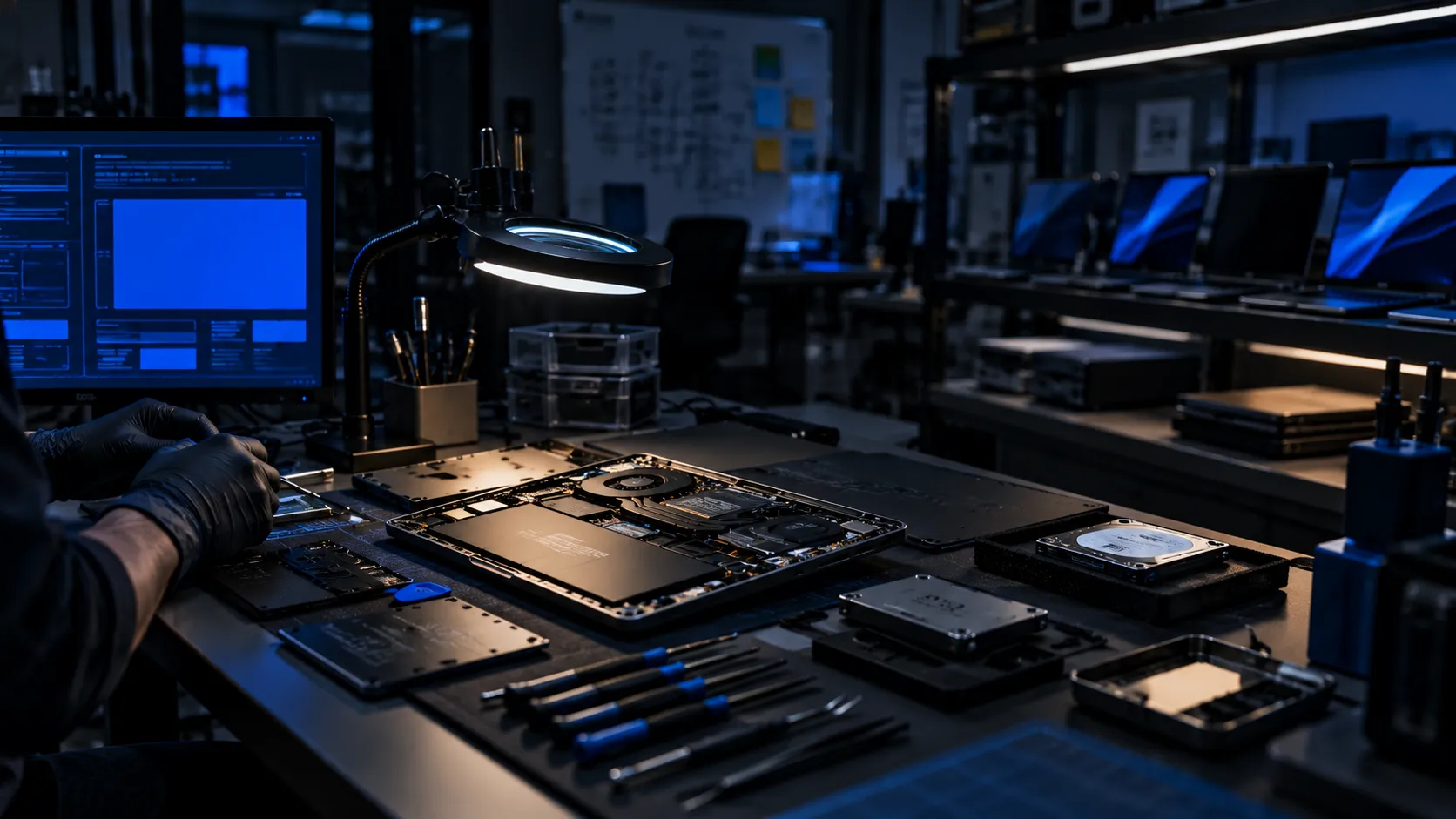
Reference system
Symptoms
When this matters
If any of these describe your environment, this is the conversation to have.
- 01A failed laptop, drive or server holds data that was never backed up.
- 02Devices are replaced when a repair or upgrade would have kept them useful for years.
- 03Printers, UPS units and network gear are out of warranty and nobody services them.
- 04Old equipment piles up in cupboards, with data still on it.
- 05A refresh is planned but the budget would go further with refurbished or upgraded machines.
Scope
What KINNEX delivers
Equipment lasts longer when it is looked after, and lost data is rarely as lost as it feels. We repair and refurbish what is worth keeping, recover files when something fails, and retire old equipment so the data on it does not outlive it.
- Laptop, desktop, workstation, Mac, printer and peripheral repair, on site or at a workshop.
- Server, storage, network and UPS hardware repair and parts replacement.
- Refurbishment and upgrades: memory, storage, batteries, screens and clean builds.
- Data recovery from drives, SSDs, RAID, NAS, USB media and phones, logical and physical.
- Secure data erasure and disposal, with certificates of erasure and responsible e-waste handling.
- Pickup and delivery, loan units and annual maintenance for fleets of devices.
Capability catalogue
Everything this covers
76 capabilities, scoped, sourced and delivered under one contract. Search for the exact term you use.
76 capabilities
Laptop, desktop and workstation repair12
Diagnosis first, an honest repair-or-replace answer second, then a repair that is tested before it comes back.
- Laptop repair: screens, keyboards, hinges, batteries, charging ports and fans
- Motherboard and component-level repair, including liquid-damage recovery
- Desktop, all-in-one and workstation repair
- Apple MacBook, iMac and Mac mini repair
- Gaming and engineering workstation repair and upgrades
- Power-supply, graphics-card and memory diagnosis and replacement
- Operating-system repair, clean re-installation and driver set-up
- Virus and malware removal and system clean-up
- BIOS and firmware recovery
- Thermal servicing: cleaning, re-pasting and fan replacement
- Tablet, phone and peripheral repair
- On-site repair at your premises, or pickup to the workshop
Upgrades and refurbishment10
- SSD, NVMe and memory upgrades
- Battery and screen replacement to extend device life
- Refurbished and renewed business laptops and desktops
- Clean builds with a standard image and software set
- Cosmetic restoration and quality testing
- Fleet refresh planning: repair, upgrade or replace
- Buy-back and trade-in of used equipment
- Rental and short-term loan units
- Standardised images for schools, labs and offices
- Asset tagging and asset-register creation
Server, storage and network hardware repair10
- Server hardware diagnosis and parts replacement
- RAID controller, drive and backplane faults
- Storage array and NAS repair and drive replacement
- Network switch, router and firewall fault repair
- Wi-Fi access point and controller replacement
- UPS, battery and inverter servicing
- Rack, PDU and cooling faults
- Spare-parts supply and advance replacement
- OEM warranty coordination and RMA handling
- End-of-life equipment extended support
Printers, scanners and peripherals7
- Laser, inkjet and multifunction printer repair
- Large-format plotter servicing
- Barcode, label and POS printer repair
- Scanner, projector and display repair
- Toner, ink and consumables supply
- Preventive servicing and roller and drum replacement
- Printer fleet maintenance contracts
Data recovery14
Recovery depends on the damage. We assess first, tell you what is realistic and what it will cost, and handle the original media with care.
- Hard-drive recovery: deleted, formatted, corrupted and partitioned-over data
- SSD, NVMe and flash-memory recovery
- RAID array recovery: RAID 0, 1, 5, 6, 10 and degraded or rebuilt arrays
- NAS and SAN recovery from Synology, QNAP, NetApp and others
- Server and virtual-machine recovery: VMware, Hyper-V and disk images
- Database recovery: SQL Server, Oracle, MySQL and PostgreSQL
- Email recovery: PST, OST and mailbox databases
- USB drives, memory cards and camera cards
- Phone and tablet data recovery
- CCTV recorder and DVR or NVR drive recovery
- Physical failures, such as failed heads or motors, through specialist laboratories
- Forensic-grade imaging before any recovery attempt
- Emergency recovery with priority turnaround
- Recovered-file listing and verification with you
Secure data erasure and disposal9
- Verified data erasure following NIST SP 800-88 guidelines
- Per-device erasure certificates and asset reports
- Physical destruction of media that cannot be erased
- Degaussing, shredding and crushing through specialists
- On-site erasure for sensitive environments
- IT asset disposition (ITAD) with chain-of-custody records
- E-waste handling through authorised recyclers
- Re-sale or donation of cleaned equipment, where suitable
- Disposal records for audit
Preventive care and annual maintenance8
- Annual maintenance for fleets of laptops and desktops
- Scheduled health checks, cleaning and updates
- Backup and drive-health monitoring
- On-site standby engineers and loan devices
- Repair turnaround targets agreed in advance
- Warranty and spare-parts tracking
- Support under an agreed SOP and SLA
- Repair and failure-trend reporting
Sector support6
- Schools and colleges: lab PCs, classroom devices and printers
- Hospitals and clinics: workstations, printers and label printers
- Offices: laptops, desktops and meeting-room equipment
- Manufacturing: engineering workstations and rugged devices
- Retail and hospitality: POS terminals, kiosks and printers
- Architects, designers and media studios: high-spec workstations
Nothing listed under that term yet. If you need it, ask: we can usually source or deliver it through a specialist team. Tell us what you need.
The site, in 3D
Repair, refurbish, recover
Devices collected, diagnosed and returned tested, with careful handling for failed drives and secure disposal of old ones.
- Repair bench
- Data recovery
- Secure erasure
- Pickup and delivery
Real-time 3D illustration of a typical site, not a specific client project.
Use cases
Where this shows up
Typical situations that lead an organisation to this work.
01
A business needing files recovered from a failed drive or a degraded RAID array.
02
A school or office extending the life of a fleet through repair, upgrade and clean re-imaging.
03
A company retiring old equipment with verified data erasure and proper disposal.
Delivery method
How the work runs
Architecture before equipment. Validation before handover.
Stage 01 of 6
Assess
Diagnose the fault, the data at risk and whether repair, upgrade or replacement makes sense.
Stage 02 of 6
Design
Agree the repair or recovery plan, parts, risk to data and the likely outcome in writing.
Stage 03 of 6
Implement
Repair, rebuild or recover in a controlled workshop, keeping the original media safe.
Stage 04 of 6
Validate
Test the device under load, verify recovered files with you and confirm data integrity.
Stage 05 of 6
Document
Provide a job report, recovered-file list, parts record and erasure certificate where applicable.
Stage 06 of 6
Support
Warranty on repairs and ongoing care for fleets under an agreed SOP and SLA.
How we take this on
One contract. The right specialist for every part
Your project is wider than any single team. We scope all of it, source all of it and carry the responsibility for all of it.
- 01
Scope
We survey, size and specify against standards and your operating reality, not against a brochure.
- 02
Source
Any make, any model, from the manufacturer, distribution or registered importers. GST-compliant invoicing, warranty and returns handled for you.
- 03
Deliver
KINNEX engineers do the work we do every day. Where a job needs a specialist, we bring in the right expert team as a sub-order under your single contract.
- 04
Own
One scope, one SOP, one SLA and one point of accountability, whoever is on site.
Standards and terms
Standards we design to, and the terms you will hear
Specifications are written against recognised standards. Here is the vocabulary, in plain language.
- NIST SP 800-88 (media sanitisation)
- E-Waste (Management) Rules, India
- IPC-A-610 and IPC-7711/7721 (electronics workmanship and rework)
- ESD protection practice (ANSI/ESD S20.20)
- ISO/IEC 27040 (storage security)
- ISO/IEC 27001 aligned handling practices
- RAID levels 0, 1, 5, 6 and 10
- S.M.A.R.T. drive health reporting
- Logical vs physical failure
- Logical: the drive works but the data is lost or damaged. Physical: part of the drive is broken. Physical faults need specialist equipment and the drive must not be run.
- Forensic imaging
- Making a sector-by-sector copy of a failing drive first, then recovering from the copy so the original is not stressed further.
- RAID recovery
- Reconstructing data from an array that lost drives or whose layout was corrupted, usually without touching the original drives.
- SMART
- Self-monitoring data in a drive that can warn of failure before it happens.
- Component-level repair
- Repairing individual parts on a circuit board, rather than replacing the whole board.
- NIST 800-88
- The widely used guideline for how to clear, purge or destroy storage media so data cannot be retrieved.
- ITAD
- IT asset disposition: the secure, documented end-of-life handling of equipment, including erasure and recycling.
- Chain of custody
- A record of who held a device or drive at every step, used when data is sensitive or legally relevant.
- Advance replacement
- A replacement part or unit is sent before the faulty one is returned, to reduce downtime.
- RMA
- The manufacturer's process for returning and replacing a faulty unit under warranty.
- Refurbished vs renewed
- Equipment restored to working condition, tested and cleaned, usually with a warranty, at a lower cost than new.
- SOP and SLA
- The documented procedures for looking after devices, and the turnaround targets agreed for them.
Brands
Any make. Sourced, supplied and supported
We specify against your requirement and standards, then source the right product from the manufacturer, distribution or registered importers. Delivered, installed and supported under one contract.
Laptops, desktops, printers and peripherals
Business and engineering endpoints, displays, printing and accessories.
 Dell
Dell HP
HP Lenovo
 Apple
Apple ASUS
ASUS Acer
Acer MSI
MSI Microsoft Surface
 Samsung
'%3e%3cg%20id='g2642'%20transform='matrix(24.436%200%200%2024.436%207635.8%20-9872.6)'%20fill='%23656159'%3e%3cpath%20id='path152'%20d='m-305.51%20405.91c0-5.748%204.647-10.401%2010.386-10.427v-3.748c0-0.64-0.515-1.172-1.16-1.172h-28.351c-0.654%200-1.176%200.532-1.176%201.172v28.348c0%200.654%200.522%201.172%201.176%201.172h28.351c0.645%200%201.16-0.518%201.16-1.172v-3.741c-5.739-0.026-10.386-4.685-10.386-10.432'/%3e%3cpath%20id='path154'%20d='m-291.17%20405.91c0%202.019-1.647%203.671-3.66%203.671-2.024%200-3.676-1.652-3.676-3.671%200-2.008%201.652-3.67%203.676-3.67%202.013%200%203.66%201.662%203.66%203.67'/%3e%3cpath%20id='path156'%20d='m-274.07%20405.91c0%202.78-2.25%205.014-5.019%205.014-2.782%200-5.024-2.234-5.024-5.014%200-2.768%202.242-5.027%205.024-5.027%202.769%200%205.019%202.259%205.019%205.027'/%3e%3cpath%20id='path158'%20d='m-240.3%20418.51s2.045-4.887%202.033-4.951c-3e-3%20-0.055-5.473-12.713-6.146-14.352h4.253c0.063%200.17%204.052%2010.196%204.052%2010.196h0.062s3.728-10.026%203.785-10.196h3.897c-0.145%200.33-8.103%2019.303-8.103%2019.303h-3.833'/%3e%3cpath%20id='path160'%20d='m-222.1%20400.46c1.254-1.072%203.077-1.622%205.402-1.622%204.893%200%205.915%202.969%205.915%205.43v8.772h-3.824v-7.401c0-1.354%200-4.172-3.285-4.172-2.484%200-3.775%201.384-4.097%201.806-0.14599%200.18-0.19899%200.265-0.19899%200.311%200%204e-3%200.016%200.03%200.026%200.048%200%200-0.014%209.158-0.014%209.408h-3.848v-13.834h3.636v1.46l0.288-0.206'/%3e%3cpath%20id='path162'%20d='m-132.9%20413.04v-19.494h3.942v11.536l0.314-0.285s5.826-5.512%205.913-5.591h4.475c-4e-3%20-0.025-6.579%206.164-6.579%206.164s7.326%207.643%207.335%207.67h-4.851c-0.088-0.095-6.607-7.134-6.607-7.134v0.418%206.716h-3.942'/%3e%3cpath%20id='path164'%20d='m-250.8%20393.45v6.672l-0.226-0.12c-1.177-0.645-2.541-0.976-3.969-0.976-4.75%200-7.937%202.883-7.937%207.186%200%204.191%203.187%207.008%207.937%207.008%201.481%200%202.82-0.322%203.969-0.937l0.226-0.119v0.937h3.636v-19.651h-3.636zm-4.345%2017.017c-2.358%200-4.269-1.923-4.269-4.273%200-2.366%201.911-4.266%204.269-4.266%202.347%200%204.252%201.9%204.252%204.266%200%202.35-1.905%204.273-4.252%204.273'/%3e%3cpath%20id='path166'%20d='m-181.72%20399.03c-1.443%200-2.791%200.331-3.981%200.976l-0.21201%200.12v-6.672h-3.66v19.651h3.66v-0.937l0.21201%200.119c1.153%200.615%202.504%200.937%203.981%200.937%204.752%200%207.921-2.817%207.921-7.008%200-4.303-3.169-7.186-7.921-7.186zm0.149%2011.441c-2.36%200-4.27-1.923-4.27-4.273%200-2.366%201.91-4.266%204.27-4.266%202.348%200%204.274%201.9%204.274%204.266%200%202.35-1.926%204.273-4.274%204.273'/%3e%3cpath%20id='path168'%20d='m-163.17%20398.88c-4.869%200-8.131%202.943-8.131%207.332%200%204.285%203.262%207.152%208.131%207.152%204.897%200%208.182-2.867%208.182-7.152%200-4.389-3.285-7.332-8.182-7.332zm0.065%2011.587c-2.356%200-4.279-1.923-4.279-4.273%200-2.366%201.923-4.266%204.279-4.266%202.353%200%204.256%201.9%204.256%204.266%200%202.35-1.903%204.273-4.256%204.273'/%3e%3cpath%20id='path170'%20d='m-144.11%20398.88c-4.877%200-8.139%202.943-8.139%207.332%200%204.285%203.262%207.152%208.139%207.152%204.88%200%208.18-2.867%208.18-7.152%200-4.389-3.3-7.332-8.18-7.332zm0.069%2011.587c-2.369%200-4.273-1.923-4.273-4.273%200-2.366%201.904-4.266%204.273-4.266%202.343%200%204.249%201.9%204.249%204.266%200%202.35-1.906%204.273-4.249%204.273'/%3e%3cpath%20id='path172'%20d='m-193.69%20410.02-0.055-3.528v-1.813c0-4.111-2.07-6.009-7.182-6.009-1.739%200-4.2%200.414-5.353%200.972l-0.022%202.835c0.805-0.473%203.224-1.351%205.147-1.313%202.835%200.072%203.91%201.039%203.934%203.242l-0.024%200.153-0.218-0.099c-0.96199-0.463-2.17-0.805-3.512-0.805-4.152%200-6.806%202.198-6.806%204.804%200%202.625%202.046%204.924%206.688%204.864%201.556-0.017%202.927-0.492%203.91-1.041l0.19399-0.115s0.104%200.701%200.11601%200.869h3.363c-0.034-0.608-0.18-3.016-0.18-3.016zm-7.405%200.865c-2.416%200-3.689-1.116-3.689-2.384%200-1.277%201.478-2.374%203.689-2.374%202.032%200%203.686%201.097%203.686%202.374%200%201.268-1.654%202.384-3.686%202.384'/%3e%3c/g%3e%3c/g%3e%3c/svg%3e) Dynabook
Dynabook Intel
Intel AMD
AMD LG
LG ViewSonic
 BenQ
BenQ Canon
Canon Epson
Epson Brother
Show 27 more brands
 Xerox
Xerox Ricoh
Ricoh Kyocera
 Zebra Technologies
 Lexmark
 HCL
HCL Wacom
Wacom Razer
Razer Corsair
 Gigabyte
 NVIDIA
 SanDisk
 Western Digital
%20--%3e%3csvg%20width='132.29161mm'%20height='43.843502mm'%20viewBox='0%200%20132.29161%2043.843502'%20version='1.1'%20id='svg1'%20inkscape:version='1.4%20(86a8ad7,%202024-10-11)'%20sodipodi:docname='AOL%20logo.svg'%20xmlns:inkscape='http://www.inkscape.org/namespaces/inkscape'%20xmlns:sodipodi='http://sodipodi.sourceforge.net/DTD/sodipodi-0.dtd'%20xmlns='http://www.w3.org/2000/svg'%20xmlns:svg='http://www.w3.org/2000/svg'%3e%3csodipodi:namedview%20id='namedview1'%20pagecolor='%23ffffff'%20bordercolor='%23000000'%20borderopacity='0.25'%20inkscape:showpageshadow='2'%20inkscape:pageopacity='0.0'%20inkscape:pagecheckerboard='0'%20inkscape:deskcolor='%23d1d1d1'%20inkscape:document-units='mm'%20inkscape:zoom='1.9729351'%20inkscape:cx='169.29092'%20inkscape:cy='79.830301'%20inkscape:window-width='1920'%20inkscape:window-height='1001'%20inkscape:window-x='-9'%20inkscape:window-y='-9'%20inkscape:window-maximized='1'%20inkscape:current-layer='layer1'%20/%3e%3cdefs%20id='defs1'%3e%3cclipPath%20clipPathUnits='userSpaceOnUse'%20id='clipPath12'%3e%3cpath%20d='M%200,0%20H%20595.275%20V%20841.89%20H%200%20Z'%20transform='matrix(0.9611701,0,0,-0.98024274,-74.150044,754.23244)'%20id='path12'%20/%3e%3c/clipPath%3e%3cclipPath%20clipPathUnits='userSpaceOnUse'%20id='clipPath8'%3e%3cpath%20d='M%200,0%20H%20595.275%20V%20841.89%20H%200%20Z'%20transform='matrix(0.9611701,0,0,-0.98024274,-122.28094,753.89504)'%20id='path8'%20/%3e%3c/clipPath%3e%3cclipPath%20clipPathUnits='userSpaceOnUse'%20id='clipPath10'%3e%3cpath%20d='M%200,0%20H%20595.275%20V%20841.89%20H%200%20Z'%20transform='matrix(0.9611701,0,0,-0.98024274,-176.11875,768.33684)'%20id='path10'%20/%3e%3c/clipPath%3e%3c/defs%3e%3cg%20inkscape:label='Layer%201'%20inkscape:groupmode='layer'%20id='layer1'%20transform='translate(-27.745786,-126.45817)'%3e%3cpath%20id='path7'%20d='m%200,0%20c%2010.185,0%2017.344,-2.244%2017.344,-13.771%20v%20-10.516%20c%200,-11.414%20-7.159,-13.657%20-17.344,-13.657%20-10.075,0%20-17.231,2.243%20-17.231,13.657%20v%2010.516%20C%20-17.231,-2.244%20-10.075,0%200,0%20m%200,-8.738%20c%20-5.146,0%20-6.825,-0.55%20-6.942,-6.037%20v%20-8.396%20c%200.117,-5.607%201.796,-6.154%206.942,-6.154%205.263,0%207.05,0.547%207.05,6.154%20v%208.396%20c%200,5.487%20-1.787,6.037%20-7.05,6.037'%20style='fill:%23000000;fill-opacity:1;fill-rule:nonzero;stroke:none;stroke-width:0.311464'%20transform='matrix(1.1784011,0,0,1.1554729,96.594891,170.30143)'%20clip-path='url(%23clipPath8)'%20/%3e%3cpath%20id='path9'%20d='m%200,0%20v%201.116%20c%200,4.038%20-0.104,7.731%20-3.468,10.523%20-3.365,2.803%20-7.499,2.803%20-11.87,2.803%20-10.07,0%20-17.458,-0.566%20-17.458,-14.217%20V%20-9.4%20c%200,-12.319%206.604,-14.102%2017.458,-14.102%2010.3,0%2015.11,1.007%2015.234,12.189%20v%201.468%20H%20-10.3%20v%20-1.468%20c%20-0.335,-3.234%20-2.682,-3.57%20-6.043,-3.57%20-5.705,0%20-6.269,1.789%20-6.269,7.05%20v%205.928%20c%200,5.489%200.23,7.609%206.269,7.609%204.146,0%206.043,-0.223%206.043,-4.588%20L%20-10.3,0%20Z'%20style='fill:%23000000;fill-opacity:1;fill-rule:nonzero;stroke:none;stroke-width:0.311464'%20transform='matrix(1.1784011,0,0,1.1554729,160.03739,153.61433)'%20clip-path='url(%23clipPath10)'%20/%3e%3cpath%20id='path11'%20d='m%200,0%2010.863,-23.611%20c%201.788,-3.808%202.787,-5.042%206.603,-5.042%20V%20-18.248%20-9.516%200%20h%209.957%20V%20-37.265%20H%2016.234%20c%20-9.288,0%20-11.088,3.911%20-15.553,13.654%20L%20-10.295,0%20Z'%20style='fill:%23000000;fill-opacity:1;fill-rule:nonzero;stroke:none;stroke-width:0.311464'%20transform='matrix(1.1784011,0,0,1.1554729,39.877425,169.91156)'%20clip-path='url(%23clipPath12)'%20/%3e%3c/g%3e%3c/svg%3e) AOC
AOC Jabra
Jabra Poly
Poly Plantronics
 Belkin
- Logitech
- Konica Minolta
- TVS Electronics
- Sharp
- Pantum
- Kingston
- Philips
- Anker
- Targus
Servers, storage and data-centre compute
Rack, tower and edge servers, SAN, NAS, all-flash and tape.
 Dell Technologies
 HPE
HPE- Lenovo
 Cisco UCS
 Supermicro
 Fujitsu
%20--%3e%3csvg%20version='1.1'%20id='IBM_logo_8-bar_blue'%20xmlns='http://www.w3.org/2000/svg'%20xmlns:xlink='http://www.w3.org/1999/xlink'%20x='0px'%20y='0px'%20width='1075px'%20height='401.15px'%20viewBox='0%200%201075%20401.15'%20enable-background='new%200%200%201000%20401.15'%20xml:space='preserve'%3e%3ctitle%3eLogo%20International%20Business%20Machines%20Corporation%3c/title%3e%3cg%20id='IBM_logo'%20fill='%231f70c1'%3e%3cg%20id='I'%3e%3crect%20y='373.17'%20width='194.43'%20height='27.932'/%3e%3crect%20y='319.83'%20width='194.43'%20height='27.932'/%3e%3crect%20x='55.468'%20y='266.54'%20width='83.399'%20height='27.932'/%3e%3crect%20x='55.468'%20y='213.25'%20width='83.399'%20height='27.932'/%3e%3crect%20x='55.468'%20y='159.96'%20width='83.399'%20height='27.932'/%3e%3crect%20x='55.468'%20y='106.58'%20width='83.399'%20height='27.932'/%3e%3crect%20y='53.288'%20width='194.43'%20height='27.932'/%3e%3crect%20width='194.43'%20height='27.932'/%3e%3c/g%3e%3cg%20id='B'%3e%3cpath%20d='m222.17%20400.85%20207.11%200.297c27.734%200%2052.793-10.697%2071.513-27.932h-278.62z'/%3e%3cpath%20d='m222.17%20347.76h299.03c5.051-8.617%208.815-18.027%2011.094-27.932h-310.12z'/%3e%3crect%20x='277.73'%20y='266.54'%20width='83.3'%20height='27.932'/%3e%3cpath%20d='m444.43%20266.54v27.932h90.927c0-9.608-1.288-19.017-3.764-27.932z'/%3e%3cpath%20d='m497.92%20213.25h-220.19v27.932h243.46c-6.34-10.698-14.165-20.107-23.277-27.932z'/%3e%3cpath%20d='m277.73%20159.96v27.932h220.19c9.311-7.825%2017.135-17.235%2023.277-27.932z'/%3e%3crect%20x='277.73'%20y='106.58'%20width='83.3'%20height='27.932'/%3e%3cpath%20d='m444.43%20134.51h87.163c2.476-8.914%203.764-18.324%203.764-27.932h-90.927z'/%3e%3cpath%20d='m521.2%2053.288h-299.03v27.932h310.12c-2.575-9.905-6.339-19.314-11.093-27.932z'/%3e%3cpath%20d='m429.28%200h-207.11v27.932h278.53c-18.621-17.235-43.878-27.932-71.414-27.932z'/%3e%3c/g%3e%3cg%20id='M'%3e%3cpolygon%20points='555.57%2081.22%20742.67%2081.22%20733.06%2053.288%20555.57%2053.288'/%3e%3cpolygon%20points='555.57%2027.932%20724.25%2027.932%20714.64%200%20555.57%200'/%3e%3cpolygon%20points='861.03%20401.17%20861.03%20373.24%201e3%20373.24%201e3%20401.17'%20stroke-width='1.0018'/%3e%3cpolygon%20points='861.03%20347.76%20861.03%20319.83%201e3%20319.83%201e3%20347.76'/%3e%3cpolygon%20points='777.73%20182.54%20769.91%20159.96%20694.43%20159.96%20611.03%20159.96%20611.03%20187.89%20694.43%20187.89%20694.43%20162.24%20703.25%20187.89%20852.22%20187.89%20861.03%20162.24%20861.03%20187.89%20944.43%20187.89%20944.43%20159.96%20861.03%20159.96%20785.56%20159.96'/%3e%3cpolygon%20points='944.43%20106.58%20803.98%20106.58%20794.37%20134.51%20944.43%20134.51'/%3e%3cpolygon%20points='1e3%2027.932%201e3%200%20840.93%200%20831.32%2027.932'/%3e%3cpolygon%20points='768.13%20373.22%20777.73%20400.85%20787.34%20373.22'/%3e%3cpolygon%20points='749.5%20319.83%20759.31%20347.76%20796.16%20347.76%20806.06%20319.83'/%3e%3cpolygon%20points='730.78%20266.54%20740.59%20294.47%20814.88%20294.47%20824.68%20266.54'/%3e%3cpolygon%20points='721.97%20241.18%20833.6%20241.18%20843.11%20213.25%20712.36%20213.25'/%3e%3cpolygon%20points='611.03%20134.51%20761.09%20134.51%20751.49%20106.58%20611.03%20106.58'/%3e%3cpolygon%20points='1e3%2053.288%20822.4%2053.288%20812.9%2081.22%201e3%2081.22'/%3e%3crect%20x='555.57'%20y='373.22'%20width='138.97'%20height='27.932'/%3e%3crect%20x='555.57'%20y='319.83'%20width='138.97'%20height='27.932'/%3e%3crect%20x='611.03'%20y='266.54'%20width='83.399'%20height='27.932'/%3e%3crect%20x='611.03'%20y='213.25'%20width='83.399'%20height='27.932'/%3e%3crect%20x='861.03'%20y='213.25'%20width='83.399'%20height='27.932'/%3e%3crect%20x='861.03'%20y='266.54'%20width='83.399'%20height='27.932'/%3e%3c/g%3e%3cpath%20id='Registered'%20d='m1052%20357.15a22%2022%200%200%200-22%2022%2022%2022%200%200%200%2022%2022%2022%2022%200%200%200%2022-22%2022%2022%200%200%200-22-22zm0%204a18%2018%200%200%201%2018%2018%2018%2018%200%200%201-18%2018%2018%2018%200%200%201-18-18%2018%2018%200%200%201%2018-18zm-9.3476%206.793v22.414h5.453v-7.7305h3.0978l4.164%207.7305h5.9804l-5.0234-8.582c2.4616-0.96446%204.0624-3.2158%204.0624-6.75%200-4.0818-2.5594-7.082-7.582-7.082zm5.453%204.2891h4.0548c1.7114%200%202.668%200.75016%202.668%202.3555v1.6133c0%201.6053-0.9566%202.3594-2.668%202.3594h-4.0548z'/%3e%3c/g%3e%3c/svg%3e) IBM
IBM Huawei
 Inspur
 NetApp
'%3e%3cpath%20d='m21%20268h117v105h-117z'%20fill='%23fff'/%3e%3c/g%3e%3c/mask%3e%3cfilter%20id='b'%20x='21'%20y='268'%20width='116.6'%20height='105.7'%20filterUnits='userSpaceOnUse'%3e%3cfeColorMatrix%20in='SourceGraphic'%20result='result1'%20values='1%200%200%200%200%200%201%200%200%200%200%200%201%200%200%200%200%200%201%200'/%3e%3c/filter%3e%3cg%20transform='translate(-21%20-268)'%20mask='url(%23a)'%3e%3cpath%20d='m83%20373h-25c-6%200-11-3-13-7l-22-38c-3-5-3-10%200-15l22-38c2-4%207-7%2013-7h43c5%200%2010%203%2013%207l22%2038c2%205%202%2010%200%2015l-6%209c-3%205-8%207-13%207h-26l14-24-13-22h-26l-13%2022z'%20fill='%23fe5000'/%3e%3c/g%3e%3cpath%20d='m159%2053c4%200%207-2%207-7%200-4-2-6-7-6h-3v13zm-3%2025h-12v-47h17c11%200%2018%205%2018%2015%200%2011-8%2016-20%2016h-3zm41-47v30c0%205%203%207%207%207s6-2%206-7v-30h12v32c0%209-7%2015-18%2015-12%200-18-5-18-16v-31zm77%200h31v10h-19v8h16v10h-16v8h19v11h-31zm42%2038c2%201%207%204%2013%204%205%200%2010-2%2010-9%200-6-5-7-11-9-7-2-13-4-13-13%200-8%206-13%2015-13%206%200%2012%203%2015%206l-3%204c-4-3-8-5-12-5s-9%202-9%207c0%206%204%208%2010%209%207%202%2014%205%2014%2014s-6%2014-16%2014c-7%200-13-3-15-5zm67-38v5h-14v42h-5v-42h-14v-5zm23%2042c10%200%2013-10%2013-19s-2-20-13-20c-10%200-14%2010-14%2019s3%2020%2014%2020m0%205c-12%200-19-9-19-25%200-18%2010-24%2019-24%2010%200%2019%206%2019%2024%200%2017-8%2025-19%2025m78-19h15l-8-23zm-12%2019%2016-47h7l17%2047h-6l-5-15h-19l-5%2015zm76-5c-4%203-9%205-15%205-12%200-20-8-20-25%200-18%2011-24%2020-24%204%200%2010%202%2015%208l-4%203c-3-4-7-6-11-6-9%200-14%207-14%2019%200%2013%204%2020%2014%2020l9-2v-14h-10v-5h16zm10-42h26v5h-20v15h17v5h-17v17h20v5h-26zm-112%2025h-7v-21h6c8%200%2014%201%2014%2011%200%207-5%2010-13%2010zm14%207c-1-3-2-4-4-4%206-3%209-7%209-14%200-10-6-14-16-14h-16v47h6v-18h10c3%200%204%202%205%205l6%2012h6zm-217-10v-13h3c4%200%207%202%207%206%200%205-3%207-8%207zm18%2010-3-4c4-3%207-7%207-13%200-10-7-15-17-15h-17v47h11v-16h4l3%203%205%2013h13zm333-28%202-1-2-1h-1v2zm-1%204h-1v-7h2c2%200%203%201%203%202l-2%202%202%203h-1l-2-3h-1zm1-9c-3%200-5%202-5%205s2%205%205%205%205-2%205-5-2-5-5-5zm0%2011c-4%200-6-2-6-6s3-6%206-6%206%202%206%206-3%206-6%206z'%20fill='%23222'/%3e%3c/svg%3e) Pure Storage
Pure Storage Synology
 QNAP
QNAP- Western Digital
 Seagate
 Hitachi Vantara
 TrueNAS
 Toshiba
Show 24 more brands
- Intel
- AMD
- NVIDIA
- Samsung
 Micron
 Dell EMC
- HP
- ASUS
- Gigabyte
%20--%3e%3c!DOCTYPE%20svg%20PUBLIC%20'-//W3C//DTD%20SVG%201.1//EN'%20'http://www.w3.org/Graphics/SVG/1.1/DTD/svg11.dtd'%3e%3csvg%20version='1.1'%20id='圖層_1'%20xmlns='http://www.w3.org/2000/svg'%20xmlns:xlink='http://www.w3.org/1999/xlink'%20x='0px'%20y='0px'%20width='1000px'%20height='257.572px'%20viewBox='0%200%201000%20257.572'%20enable-background='new%200%200%201000%20257.572'%20xml:space='preserve'%3e%3cpath%20fill='%23006C92'%20d='M521.281,73.277l-71.177,125.006h-42.623l-7.798-74.341h-0.464l-41.471,74.341h-43.224l-19-125.006h43.134%20l4.591,78.938h0.494l43.224-78.938h43.372l7.052,77.984h0.477l34.305-77.984H521.281z'/%3e%3cpath%20fill='%23006C92'%20d='M725.025,92.592c13.197-14.773,29.293-22.162,48.326-22.162c11.313,0,19.781,2.908,25.434,8.684%20c5.66,5.765,8.502,12.869,8.502,21.268c0,5.014-1.59,14.921-4.717,29.672l-14.508,68.23H740l12.359-58.093%20c2.996-14.202,4.477-22.348,4.477-24.389c0-6.917-3.135-10.374-9.438-10.374c-7.053,0-13.215,3.33-18.48,9.962%20c-5.268,6.632-9.219,16.205-11.898,28.685l-11.793,54.208h-48.291l26.873-125.006h44.895l-4.139,18.854L725.025,92.592z'/%3e%3cpath%20fill='%23006C92'%20d='M873.144,92.592c13.225-14.773,29.311-22.162,48.326-22.162c11.281,0,19.781,2.908,25.451,8.684%20c5.652,5.765,8.467,12.869,8.467,21.268c0,5.014-1.555,14.921-4.715,29.672l-14.465,68.23h-48.088l12.359-58.093%20c3.02-14.202,4.459-22.348,4.459-24.389c0-6.917-3.102-10.374-9.422-10.374c-7.025,0-13.215,3.33-18.48,9.962%20c-5.242,6.632-9.225,16.205-11.881,28.685l-11.775,54.208h-48.352l26.9-125.006h44.895l-4.156,18.854L873.144,92.592z'/%3e%3cpath%20fill='%23006C92'%20d='M225.755,73.277l-71.167,125.006h-42.673l-7.768-74.341h-0.461L62.19,198.283H18.975L0,73.277h43.109%20l4.591,78.938h0.478l43.249-78.938h43.364l7.06,77.984h0.469l34.288-77.984H225.755z'/%3e%3cpath%20fill='%23006C92'%20d='M264.627,60.155c-15.675,0-25.319-11.728-22.785-26.051c2.592-14.794,16.292-26.079,31.959-26.079%20c14.334,0,24.521,11.284,21.929,26.079C293.188,48.427,278.961,60.155,264.627,60.155z'/%3e%3cg%3e%3cpolygon%20fill='%238ED300'%20points='625.96,72.898%20584.869,145.342%20577.818,73.277%20530.587,73.277%20554.236,199.364%20521.513,257.051%20570.664,257.051%20675.105,72.898%20'/%3e%3cpolygon%20fill='%238ED300'%20points='259.755,198.119%20207.908,198.119%20234.675,73.277%20286.531,73.277%20'/%3e%3c/g%3e%3cg%3e%3cpath%20fill='%23006C92'%20d='M977.257,8.728c3.9,0,7.643,0.982,11.223,2.929c3.58,1.953,6.395,4.74,8.443,8.388%20c2.049,3.643,3.076,7.444,3.076,11.421c0,3.966-1.004,7.74-3.012,11.328c-2.008,3.587-4.813,6.396-8.4,8.404%20s-7.365,3.012-11.33,3.012c-3.951,0-7.727-1.004-11.314-3.012c-3.596-2.008-6.395-4.816-8.402-8.404%20c-2.008-3.588-3.012-7.362-3.012-11.328c0-3.977,1.021-7.778,3.07-11.421c2.041-3.648,4.863-6.435,8.441-8.388%20C969.621,9.709,973.365,8.728,977.257,8.728z%20M977.289,13.188c-3.125,0-6.121,0.784-8.992,2.348%20c-2.863,1.563-5.129,3.802-6.781,6.731c-1.654,2.929-2.477,5.996-2.477,9.199c0,3.193,0.805,6.227,2.42,9.123%20c1.611,2.88,3.867,5.135,6.756,6.764c2.879,1.624,5.906,2.43,9.074,2.43c3.186,0,6.23-0.807,9.102-2.43%20c2.871-1.629,5.127-3.884,6.748-6.764c1.625-2.896,2.436-5.93,2.436-9.123c0-3.204-0.824-6.27-2.477-9.199%20c-1.658-2.929-3.918-5.167-6.797-6.731C983.419,13.972,980.416,13.188,977.289,13.188z%20M966.996,43.633V19.518h4.889%20c4.6,0,7.166,0.017,7.727,0.05c1.619,0.137,2.877,0.46,3.775,0.971c0.906,0.499,1.654,1.267,2.25,2.31%20c0.613,1.037,0.918,2.188,0.918,3.456c0,1.744-0.566,3.226-1.703,4.471c-1.146,1.234-2.74,1.997-4.797,2.304%20c0.732,0.269,1.291,0.576,1.688,0.905c0.402,0.329,0.945,0.943,1.637,1.849c0.174,0.241,0.773,1.218,1.785,2.94l2.84,4.86h-6.057%20l-2.016-3.917c-1.367-2.622-2.484-4.279-3.383-4.97c-0.889-0.675-2.016-1.026-3.381-1.026h-1.283v9.913H966.996z%20M971.884,29.924%20h1.99c2.83,0,4.592-0.104,5.271-0.318c0.686-0.225,1.221-0.604,1.625-1.146c0.387-0.543,0.584-1.168,0.584-1.86%20c0-0.664-0.189-1.272-0.576-1.793c-0.379-0.527-0.936-0.895-1.646-1.125c-0.715-0.23-2.459-0.345-5.258-0.345h-1.99V29.924z'/%3e%3c/g%3e%3c/svg%3e) Wiwynn
Wiwynn%20--%3e%3csvg%20version='1.1'%20id='Marvell_logo_horizontal'%20xmlns='http://www.w3.org/2000/svg'%20xmlns:xlink='http://www.w3.org/1999/xlink'%20x='0px'%20y='0px'%20viewBox='0%200%201003.6%20288'%20style='enable-background:new%200%200%201003.6%20288;'%20xml:space='preserve'%3e%3cpath%20d='M425.9,98.4l-33.7,53.9l-33.3-53.9H344v91h14.9v-58.6c0-1.1,0-2.2-0.1-3.3s-0.1-2.2-0.3-3.5c0.7,1.9,1.8,4,3.1,6l24.2,38.9%20h12l24-38.9c0.6-1,1.2-1.9,1.9-2.9s1.3-2,1.9-3.1c-0.1,1.2-0.2,2.4-0.3,3.5c-0.1,1.1-0.1,2.2-0.1,3.3v58.6h14.7v-91L425.9,98.4%20L425.9,98.4z%20M471.8,189.4l29.3-71.5c0.2-0.7,0.5-1.5,0.8-2.3c0.3-0.8,0.6-1.7,0.8-2.8c0.2,1.1,0.5,2,0.8,2.8%20c0.3,0.8,0.6,1.6,0.8,2.3l16,38.9H486l8.9,13.3h30.8l8,19.3h15.7l-38.4-91h-16l-38.4,91H471.8L471.8,189.4z%20M701.1,189.4l37-91h-16%20L696,167c-0.8,2.3-1.7,5-2.5,8c-0.8-3-1.7-5.7-2.5-8l-26-68.6h-16.7l37,91H701.1L701.1,189.4z%20M842.1,98.4v91h59.3v-13.5h-44.4V98.4%20H842.1L842.1,98.4z%20M919.5,98.4v91h59.9v-13.5h-45V98.4H919.5L919.5,98.4z%20M769.9,111.9h47.7V98.4h-62.4v91h63.3v-13.5h-48.6V111.9%20L769.9,111.9z%20M637.2,125.7c0-8.5-2.6-15.2-7.9-20c-5.3-4.8-14.1-7.3-26.5-7.3h-37.1v91h14.9v-77.5h22.8c12.2,0,18.4,5,18.4,15.1%20c0,10.8-6.6,16.2-19.8,16.2h-12l-8.5,13.1h20.2l25.1,33.1h18L617.2,153C630.5,148.2,637.2,139.1,637.2,125.7L637.2,125.7%20L637.2,125.7z%20M811.2,137h-40.4l9.1,13.5h31.3L811.2,137L811.2,137z%20M111.9,111.1l30.1,30.8c0.7,0.7,1.4,1.1,2,1.1%20c0.6,0,1.3-0.4,2-1.1l30.1-30.8c0.7-0.7,1.1-1.4,1.1-2c0-1-0.5-1.4-1.6-1.4h-63.1c-1.1,0-1.6,0.5-1.6,1.4%20C110.8,109.7,111.2,110.4,111.9,111.1L111.9,111.1z%20M288,1.6c0-1.1-0.5-1.6-1.5-1.6c-0.6,0-1.2,0.3-1.8,0.9l-24.7,25v236l0,0%20l24.7,25.2c0.6,0.6,1.2,0.9,1.8,0.9c1,0,1.5-0.5,1.5-1.6V1.6z%20M0,286.4c0,1.1,0.5,1.6,1.5,1.6c0.6,0,1.2-0.3,1.8-0.9l24.7-25.2l0,0%20v-236L3.3,0.9C2.7,0.3,2,0,1.5,0C0.5,0,0,0.5,0,1.6V286.4z%20M64.2,62.8h159.7L246.3,40c0.6-0.6,0.9-1.2,0.9-1.8c0-1-0.5-1.5-1.6-1.5%20H42.4c-1.1,0-1.6,0.5-1.6,1.5c0,0.6,0.3,1.2,0.9,1.8L64.2,62.8z%20M41.7,248c-0.6,0.6-0.9,1.2-0.9,1.8c0,1,0.5,1.4,1.6,1.4h203.1%20c1.1,0,1.6-0.5,1.6-1.4c0-0.6-0.3-1.2-0.9-1.8l-22.4-22.8H64.2L41.7,248z%20M211.8,213c0.6,0.6,1.2,0.9,1.8,0.9c1,0,1.4-0.5,1.4-1.6%20l0,0V75.7c0-1.1-0.5-1.6-1.4-1.6c-0.6,0-1.2,0.3-1.8,0.9l-23.4,23.8v90.5L211.8,213z%20M99.6,189.2V98.8L76.2,75%20c-0.6-0.6-1.2-0.9-1.8-0.9c-1,0-1.4,0.6-1.4,1.6v136.6l0,0c0,1.1,0.5,1.6,1.4,1.6c0.6,0,1.2-0.3,1.8-0.9L99.6,189.2z%20M978.8,98.4%20v1.7h4.2v9.8h1.9v-9.8h4.2v-1.7H978.8z%20M1001.8,98.4l-4.3,6.8l-4.2-6.8h-1.9v11.5h1.9v-7.4c0-0.1,0-0.3,0-0.4c0-0.1,0-0.3,0-0.4%20c0.1,0.2,0.2,0.5,0.4,0.8l3.1,4.9h1.5l3-4.9c0.1-0.1,0.2-0.2,0.2-0.4s0.2-0.2,0.2-0.4c0,0.2,0,0.3,0,0.4c0,0.1,0,0.3,0,0.4v7.4h1.9%20V98.4H1001.8L1001.8,98.4z'/%3e%3c/svg%3e) Marvell
Marvell Broadcom
 Arm
Arm SK hynix
 Kioxia
- SanDisk
 Transcend
- Quantum
- Asustor
- Kingston
- Crucial
- Nimble Storage
- Mellanox
- Ampere
Repair, refurbishment, data recovery and secure disposal
Diagnostic and recovery tools, data erasure and manufacturer service.
 Blancco
 Clonezilla
%20--%3e%3csvg%20version='1.1'%20id='Layer_1'%20xmlns='http://www.w3.org/2000/svg'%20xmlns:xlink='http://www.w3.org/1999/xlink'%20x='0px'%20y='0px'%20viewBox='0%200%201000%20266.4'%20style='enable-background:new%200%200%201000%20266.4;'%20xml:space='preserve'%3e%3cstyle%20type='text/css'%3e%20.st0{fill:%230D2345;}%20%3c/style%3e%3cg%3e%3cpath%20class='st0'%20d='M172.5,50.7h25l65.7,157.4h-24.1l-11.3-28.7h-85.4l-11.6,28.7h-24.1L172.5,50.7z%20M219.9,159.7l-7.4-18.1h-55.1%20l-7.2,18.1H219.9z%20M205.3,123.1l-4.2-10.2c-6.7-16.7-12.5-30.6-16.2-41c-3.5,10.4-9.3,24.3-16,41l-4.2,10.2H205.3z%20M265.1,147%20c0-37.7,27.8-63.4,63.7-63.4c30.8,0,54.2,17.6,59.5,47.9h-23.8c-5.3-18.7-18.1-27.1-36.1-27.1c-25.2,0-39.6,18.5-39.6,42.6%20c0,25.2,15.3,42.6,39.8,42.6c17.8,0,31-9,36.1-25.2h23.8c-7.4,29.6-31,46.1-60.9,46.1C289.1,210.4,265.1,183.5,265.1,147z%20M406.2,85.9h21.3l0.9,15.5c7.6-10.9,19-17.8,33.3-17.8h2.1v25.7h-3.5c-24.3,0-31,13.9-31,35.6v63.2h-23.1V85.9z%20M467.6,147%20c0-37.5,28-63.4,64.1-63.4c37.5,0,64.1,27.3,64.1,63.4c0,36.6-27.1,63.4-64.1,63.4S467.6,183.5,467.6,147z%20M572.2,146.7%20c0-24.1-15.7-42.4-40.5-42.4c-25.2,0-40.3,18.5-40.3,42.4c0,25.5,16.9,42.8,40.5,42.8C555.8,189.5,572.2,171.3,572.2,146.7z%20M612.9,85.9h20.6l1.6,12.7c9.5-9.9,22.4-15,39.1-15c28.9,0,45.1,17.1,45.1,47.4v77.1h-23.1v-72.7c0-19.9-7.9-30.8-26.9-30.8%20c-20.6,0-33.3,13.2-33.3,33.1v70.4h-23.1V85.9z%20M744.6,85.9h22.9v122.2h-22.9V85.9z%20M791.4,170.3h22.5%20c2.3,14.8,14.1,21.3,31.5,21.3c14.4,0,25.2-5.6,25.2-16.9c0-7.9-3.7-11.1-9.5-13.2c-5.6-2.1-11.3-3-22.9-4.9%20c-12-1.8-20.4-3.7-27.6-7.2c-11.1-5.3-15.5-15.3-15.5-26.4c0-25.9,20.4-39.6,46.5-39.6c28.5,0,47.4,13.2,48.8,39.8h-22%20c-1.4-14.1-12.5-21.1-26.8-21.1c-15.3,0-24.3,7.6-24.3,18c0,6.7,3.2,10.2,9.3,12.5c6,2.3,17.1,3.5,26.6,4.9c9,1.4,17.4,3,25,7.2%20c10.2,5.5,15,16.2,15,27.1c0,11.6-4.4,21.8-12.7,28.5c-8.8,7.2-20.4,10-35.2,10C815.5,210.4,793.7,199.3,791.4,170.3z'/%3e%3c/g%3e%3c/svg%3e) Acronis
Acronis- Apple
- Dell
- HP
- Lenovo
- ASUS
- Acer
- Samsung
- Seagate
- Western Digital
- Toshiba
- Intel
 iFixit
 Fluke
Fluke- SanDisk
- Transcend
Show 21 more brands
- Micron
 LiteOn
- Corsair
- Gigabyte
- MSI
- Kroll Ontrack
- DriveSavers
- Stellar Data Recovery
- R-Studio
- ACE Laboratory
- DeepSpar
- KillDisk
- DBAN
- HDDScan
- CrystalDiskInfo
- Macrium
- Weller
- Hakko
- JBC
- Kingston
- Crucial
Digital forensics and e-discovery
Evidence acquisition, analysis and reporting platforms.
 Autopsy
 Binalyze
- Cellebrite
- Magnet Forensics
- Oxygen Forensics
- MSAB
- EnCase
- FTK
- X-Ways Forensics
- Volatility
- Belkasoft
- Paraben
- Nuix
- Relativity
- Everlaw
- Logikcull
- AccessData
- Sleuth Kit
Show 3 more brands
- SIFT Workstation
- CAINE
- Velociraptor
Product names, logos and brands are property of their respective owners and are used for identification only. Don't see what you need? We can usually source it, including through registered importers.Ask us.
Technology fit
The technology categories this work draws on.
- Component-level and module-level repair
- Hard-drive, SSD, RAID, NAS and flash-media recovery
- Secure erasure to recognised standards
- Refurbished and renewed equipment programmes
- Manufacturer-warranty coordination
- Asset-lifecycle records
Reading
Related insights
Device Care, Refurbishment and Data Recovery
Secure data erasure and IT asset disposal: what to ask for
Deleting files does not erase data. Verified erasure, physical destruction, chain of custody and e-waste records for retired equipment.
Device Care, Refurbishment and Data Recovery
Lost data? What to do in the first ten minutes
Stop using the device, do not run repair tools and do not open the drive. The first steps decide how much can be recovered.
Device Care, Refurbishment and Data Recovery
Repair, upgrade or replace: a decision guide for business laptops
Age, fault type, repair cost and software needs. A simple way to decide before you spend on either a repair or a new fleet.
Questions
Frequently asked questions
Often, but it depends on the damage. Logical failures such as deleted files, formatting or corruption are recovered in our workshop. Physical failures such as failed heads or motors are handled in a specialist laboratory with the specialist equipment they require. We tell you the likely outcome and the cost before we start.
Switch it off and do not keep trying to power it on. Repeated attempts can turn a recoverable fault into a permanent one. Call us and we will advise on the next step.
Frequently. A new battery, solid-state drive and extra memory can give a business laptop several more years. We give you the cost of repair against replacement so you can decide.
We use verified erasure that follows recognised guidelines such as NIST 800-88, issue a certificate for each device, and physically destroy media that cannot be erased. E-waste goes to authorised recyclers.
Yes. Laptops and desktops of all major brands, MacBooks, printers and multifunction devices, servers, storage arrays, network equipment and UPS units, either ourselves or through specialist service teams.
Yes, across Bengaluru. Loan units are available for urgent cases, and fleet customers can arrange scheduled collections.
Get a device or recovery assessed
Tell us the site, the constraint or the outcome you need, and we will come back with the right next step.